
VSCO: Photo Editor
VSCOPhotography
3.619.81K Reviews
- Version
- 489
- Installs
- 100.00M
- Age Rating
- Teen
Screenshots
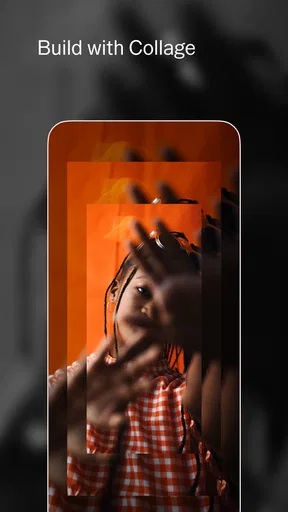
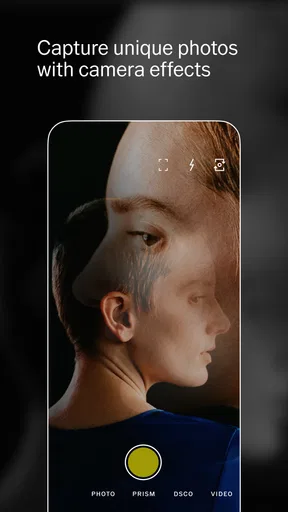
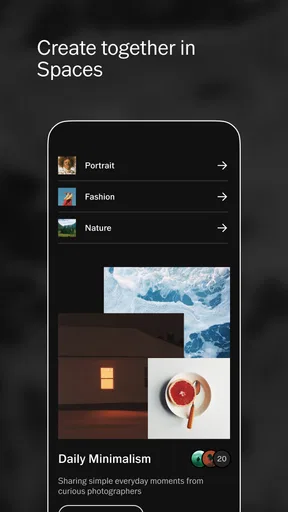

Our Review of VSCO: Photo Editor
 Analysis by Appyee
If you’re a fan of capturing and creating stunning visuals on your phone, you’ve probably heard of VSCO: Photo Editor. I decided to dive into the app myself to see what all the fuss is about, and let me tell you, it’s been quite the experience. Let me walk you through my journey with this app and why it’s become one of my go-to tools for photo editing.
What you can expect before paying
VSCO is a photography app from VSCO, and you can start using it for free. Paid in-app purchases are also available, with listed item prices ranging from under a dollar to just under thirty dollars. That range tells me it’s worth checking the specific purchase on offer before committing; it doesn’t mean every tool or filter costs the same, or that you need to buy anything to explore the app.
I’d treat the free access as a chance to see whether VSCO’s editing approach suits you, rather than assume it includes every creative option. If you mainly want to make occasional adjustments to phone photos, starting without paying is sensible. If you find yourself returning for particular editing tools or a more consistent look, then it makes sense to weigh the paid options against how often you’ll actually use them.
First Impressions
As soon as I opened VSCO: Photo Editor, I was greeted with a sleek and minimalist design. It's all about simplicity and elegance here, which I absolutely love. The app doesn’t overwhelm you with too many options right off the bat, and it’s easy to navigate. It’s clear that the developers have put a lot of thought into user experience.
How the editing fits into a real routine
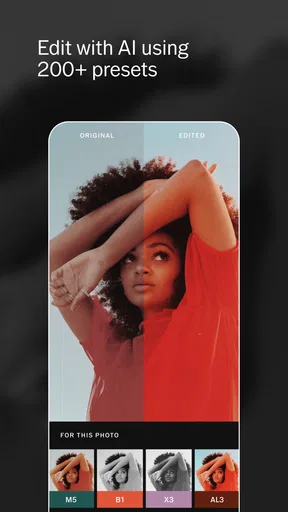
What I like about an editor built around presets is that it can help me make a decision before I start nudging every slider. For a set of photos from the same afternoon, I can try one look on the first image, adjust its intensity, and use that as a visual reference while editing the rest. The useful trick is not to assume one preset will suit every scene: indoor light, bright skies, and skin tones can respond differently, so I check the result on each photo rather than applying a look blindly.
That kind of workflow is especially practical for a small personal project: a weekend walk, a meal with friends, or a handful of pictures I want to share with a consistent feel. I’d choose a representative image first, settle the overall tone, then make smaller corrections to the others. It saves me from chasing a different style on every frame while still leaving room to fix exposure or color where a particular shot needs it.
Exploring the Features
Now, onto the fun part—the features! VSCO is packed with a variety of editing tools that cater to both beginners and pros. You’ve got your basic adjustments like exposure, contrast, and saturation, but where VSCO really shines is in its presets. The app offers a vast collection of filters that can transform even the most mundane photo into a work of art. I found myself experimenting with different presets and was amazed at how they could completely change the mood of a photo.
Another feature worth mentioning is the editing community. VSCO isn’t just a photo editor; it’s also a platform to share your creations and get inspired by others. Browsing through the community feed, I found a ton of creative and unique shots that motivated me to push my own boundaries.
Making the most of presets and controls
A useful way to approach the filters is to think of them as starting points, not finished edits. I’d first decide what I want the image to feel like, then try a preset and dial it back if it overwhelms details or color. After that, small exposure and contrast changes can bring the photo back toward what I saw in person. For portraits, I pay special attention to skin; a dramatic treatment that looks appealing on buildings or scenery can make a face look less natural.
The HSL and split-tone controls give more deliberate options when a preset gets close but not quite right. They’re worth exploring gradually: change one thing, look at the whole image, and only then move to another control. It’s easy to overwork a photo when several adjustments are made at once, especially on a small screen. I find that stepping away for a moment and reopening the edit helps me spot when a strong style has started to distract from the subject.
Getting Creative
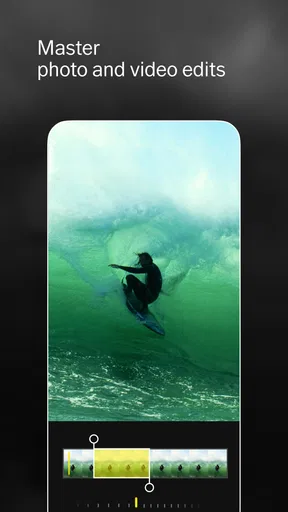
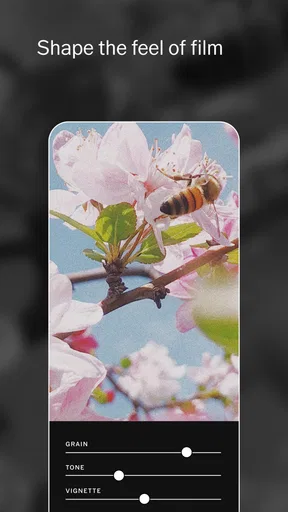
One of my favorite aspects of VSCO is the creative freedom it offers. I spent hours tweaking and perfecting my photos, playing with features like HSL and split tone. It’s a playground for anyone who loves to experiment with their photography. The app also offers a toolkit for video editing, which is a fantastic bonus if you’re into creating video content. It’s like having a mini studio right in your pocket.
Video editing is a welcome extra if your phone photography includes short clips, but I wouldn’t choose VSCO solely on the assumption that it replaces a dedicated video editor. The strength described here is the ability to bring photo and video creativity together in one place; a person who needs a specialized production workflow may still prefer an app designed specifically for that job. For casual clips that belong alongside edited stills, keeping the work together can be convenient.
Ease of Use
As someone who appreciates intuitive design, I was pleased to find that VSCO is incredibly user-friendly. The learning curve is minimal, which means you can start creating amazing edits almost immediately. The tools are easy to find and apply, and I never found myself frustrated or lost trying to navigate the app.
There is still a difference between finding a tool and knowing when to stop using it. If you are new to editing, I’d recommend making one modest change at a time and comparing the result with the original. That gives you a clearer sense of what exposure, saturation, or a preset is doing, instead of treating every adjustment as an automatic improvement. The interface makes experimentation approachable, but restraint is what keeps a photo from looking processed just because the controls are available.
How it compares with other editing choices
Compared with a basic editor that focuses on quick corrections, VSCO is more appealing when the look of the finished image matters as much as fixing it. Presets make it easier to explore a mood, while the manual controls give you room to refine the result. A standard phone editor may be quicker for cropping or a simple brightness change; I’d reach for VSCO when I want a more considered style or when I’m trying to make a group of images feel related.
On the other hand, people who prefer a highly technical, tool-first editing process may be happier with a dedicated editor whose main purpose is detailed image correction. VSCO’s combination of editing and community is a particular kind of appeal, not a universal advantage. If you don’t want a social or inspiration element and only need occasional basic fixes, a simpler alternative may involve less browsing and fewer decisions.
Community, sharing, and creative boundaries
The community feed can be useful as a source of ideas, especially if you look at how other people handle framing, light, and color rather than trying to copy a finished style. I use inspiration as a prompt to test something in my own way, not as a checklist for how my pictures should look. That distinction matters: a feed can encourage experimentation, but it can also make personal photos feel like they need to match a polished aesthetic to be worthwhile.
If you would rather keep editing separate from sharing, you can still approach VSCO primarily as a tool for your own images. The community is a bonus for people who enjoy seeing other work, not a reason everyone must use the app in the same way. I’d decide whether that part adds inspiration or distraction for you, and let that guide how much time you spend there.
Subscription Options
While VSCO offers a free version, there’s also a premium subscription that unlocks even more filters and advanced editing tools. I decided to give the premium version a shot, and I must say, it’s worth it if you’re serious about your photo editing game. The additional features provide even more creative possibilities, and the cost is reasonable compared to other editing tools out there.
Because purchases vary in price, I wouldn’t call a paid option automatically good value for every photographer. The right question is whether the extra editing choices solve a real problem in your routine. If you only edit a few pictures now and then, free access may be enough to decide whether the app fits. If you edit regularly and keep wanting options beyond what you use for free, compare the specific purchase and its cost with the time and creative control you expect to get from it.
Who will get the most from it
I’d recommend VSCO to someone who enjoys shaping the mood of a photo, likes experimenting with presets, and wants inspiration close at hand. It also suits a person who edits casually but wants more character than a one-tap correction, or who is building a recognizable visual style for personal posts. The app’s approachable layout makes it easier to try those ideas without needing to begin with a complicated editing routine.
I’d be less likely to recommend it to someone who wants every advanced option without paying, dislikes browsing creative communities, or only needs a quick crop and brightness fix. It may also be the wrong fit if your priority is a specialized professional workflow rather than expressive phone editing. In those cases, a basic built-in editor or a more technical photo tool could be a better match.
What the wider audience suggests
VSCO has been available since December 3, 2013, and its current version is 453. It works on Android 6.0 and later, carries a Teen content rating, and is free to install. Its average rating is 3.5 from around 1.3 million ratings, alongside roughly 20,000 written reviews and over 100 million installs. I take that reach as a sign that it has found a large audience, not as proof that every user will like its balance of editing and community.
That mixed average is a useful reminder to judge it by your own needs. A photographer who loves filter-led editing may value the same design choices that another person finds limiting. I’d try it with a few photos I genuinely care about, not just an easy test image: a portrait, a scene with tricky light, and a picture with colors I want to preserve. That gives a more honest sense of whether its looks and controls suit the way you shoot.
Final Thoughts
In the end, VSCO: Photo Editor is more than just another app on my phone. It’s a creative outlet and a source of inspiration. Whether you’re a casual photographer or a seasoned pro, there’s something for everyone here. The combination of powerful editing tools, a supportive community, and a seamless user experience makes it a must-have for anyone interested in photography.
So, if you haven’t already, I highly recommend giving VSCO a try. It’s an app that truly encourages you to see the world through a different lens, and who knows? You might just discover a new passion for photography along the way. Happy editing!
Verdict
Strengths of VSCO: Photo Editor
- Intuitive interface for easy editing.
- Wide range of filters for creative effects.
- Non-destructive editing preserves originals.
- Community feature for sharing and feedback.
- Advanced camera controls for better shots.
Limitations of VSCO: Photo Editor
- Limited free features without subscription.
- No text overlay options available.
- Exporting can be slow on older devices.
- Requires account login to access features.
- In-app purchases can be pricey.
Similar Picks in This Category
View All
Google Photos
Google LLC4.4

Gallery
Google LLC4.2

Picsart AI Photo Editor, Video
PicsArt, Inc.3.9

B612 AI Photo&Video Editor
SNOW Corporation4.1

BeautyPlus-Selfie Photo Editor
PIXOCIAL TECHNOLOGY (SINGAPORE) PTE. LTD.4.5

Remini - AI Photo Enhancer
Bending Spoons4.1
Frequently Asked Questions
What features does VSCO offer for photo editing?
VSCO provides a variety of tools for both basic and advanced photo editing. Users can access a comprehensive set of presets, contrast adjustments, saturation controls, and more. The app also includes tools for cropping, exposure correction, and adding filters, making it suitable for both casual users and professional photographers.
Is VSCO free to use, or does it require a subscription?
VSCO offers a free version with a limited set of features and presets. However, to access the full range of editing tools, advanced presets, and exclusive content, users need to subscribe to VSCO Membership, which is available for a monthly or annual fee. This subscription model enhances the app's functionality significantly.
Can I use VSCO to edit videos?
Yes, VSCO does support video editing, but this feature is only available to users with a VSCO Membership. Video editing includes the use of presets, filters, and basic editing tools similar to those available for photos. This makes VSCO a versatile tool for multimedia editing on mobile devices.
Does VSCO have a social sharing platform?
VSCO includes a unique social platform where users can share their edited photos and videos with the community. Unlike traditional social media, VSCO does not display likes or comments, focusing instead on the art and creativity. This platform is ideal for users who wish to share their work without the pressure of social metrics.
How does VSCO's user interface enhance the editing experience?
VSCO's user interface is designed to be intuitive and user-friendly, allowing users to navigate easily between editing tools and presets. The clean and minimalistic design ensures that users can focus on the creative process without unnecessary distractions, making it accessible for both beginners and experienced editors.
